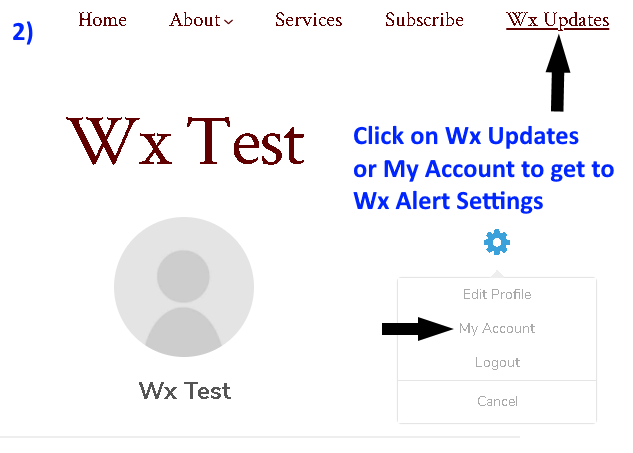
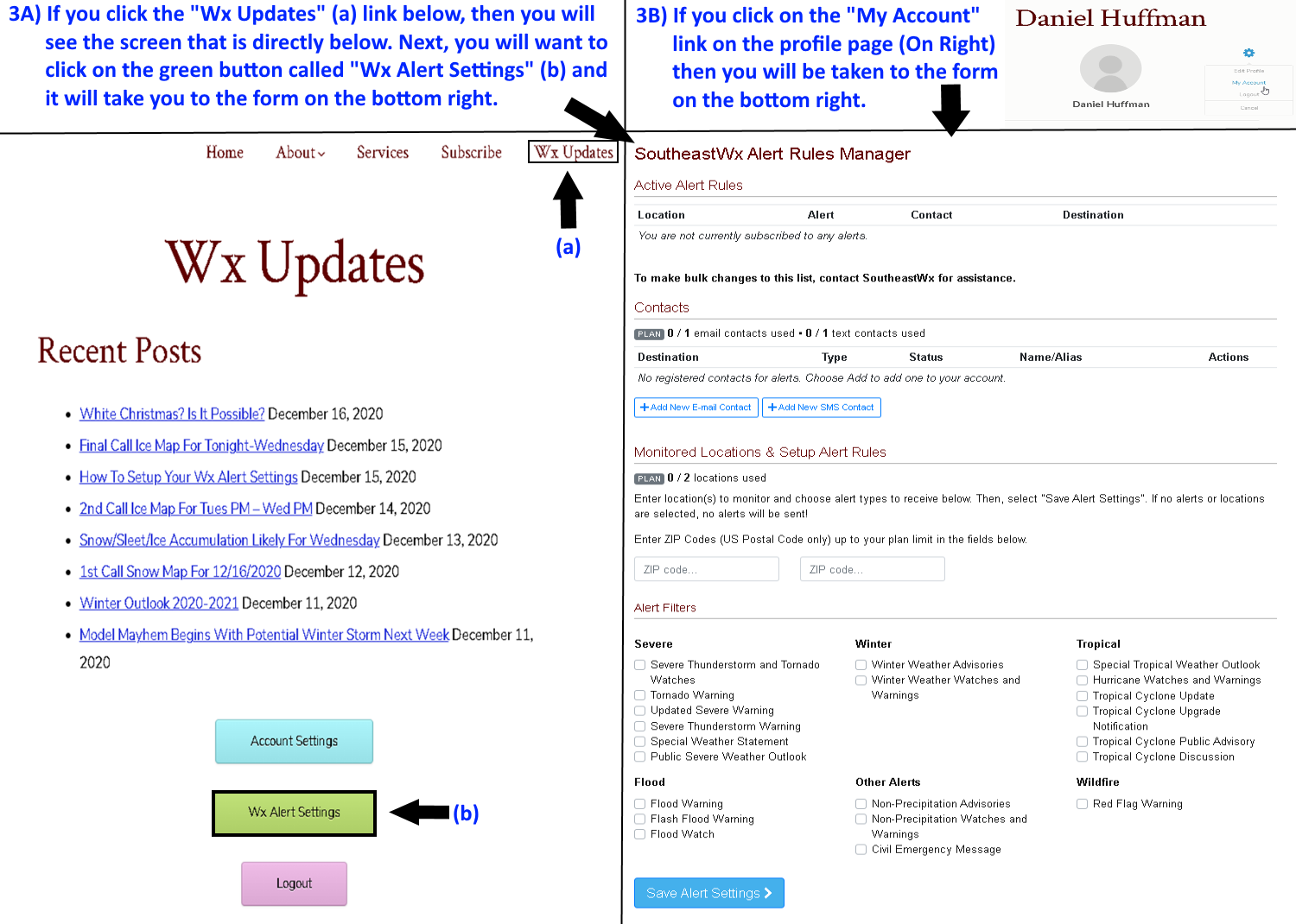
This page is designed to explain the weather alert settings control panel and to provide a tutorial on how to configure them correctly. The daily weather alert text and emails are configured in unison with the severe alert text and emails. Please contact us if you have any issues and we will be glad to help you get these setup. If you do not setup the alerts in the control panel, then you will not receive these type of alerts.
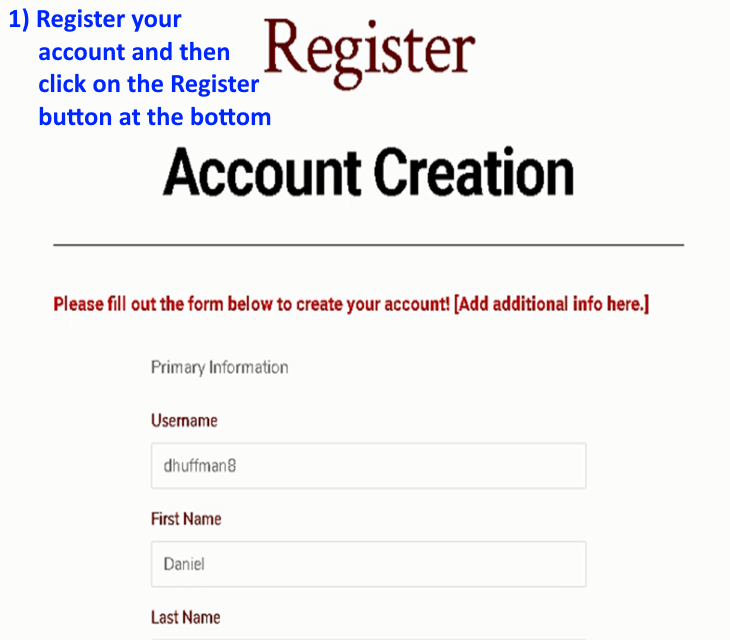
Once you set the alerts up they will work immediately, but contact us if you do not receive a text or email for more than 2 consecutive days. If you have not already setup a login to our website, then we invite you to do so by clicking the below link on Step 1. If you click the link below to register and it already shows that you are a member then move on to Step 2 to setup your severe weather alert emails and texts from the weather alerts control panel.
IMPORTANT – Do NOT skip step 9 or you will not receive updates.
STEP 1
https://southeastwx.com/registerwxacct/
STEP 2
STEP 3
STEP 4 and 5
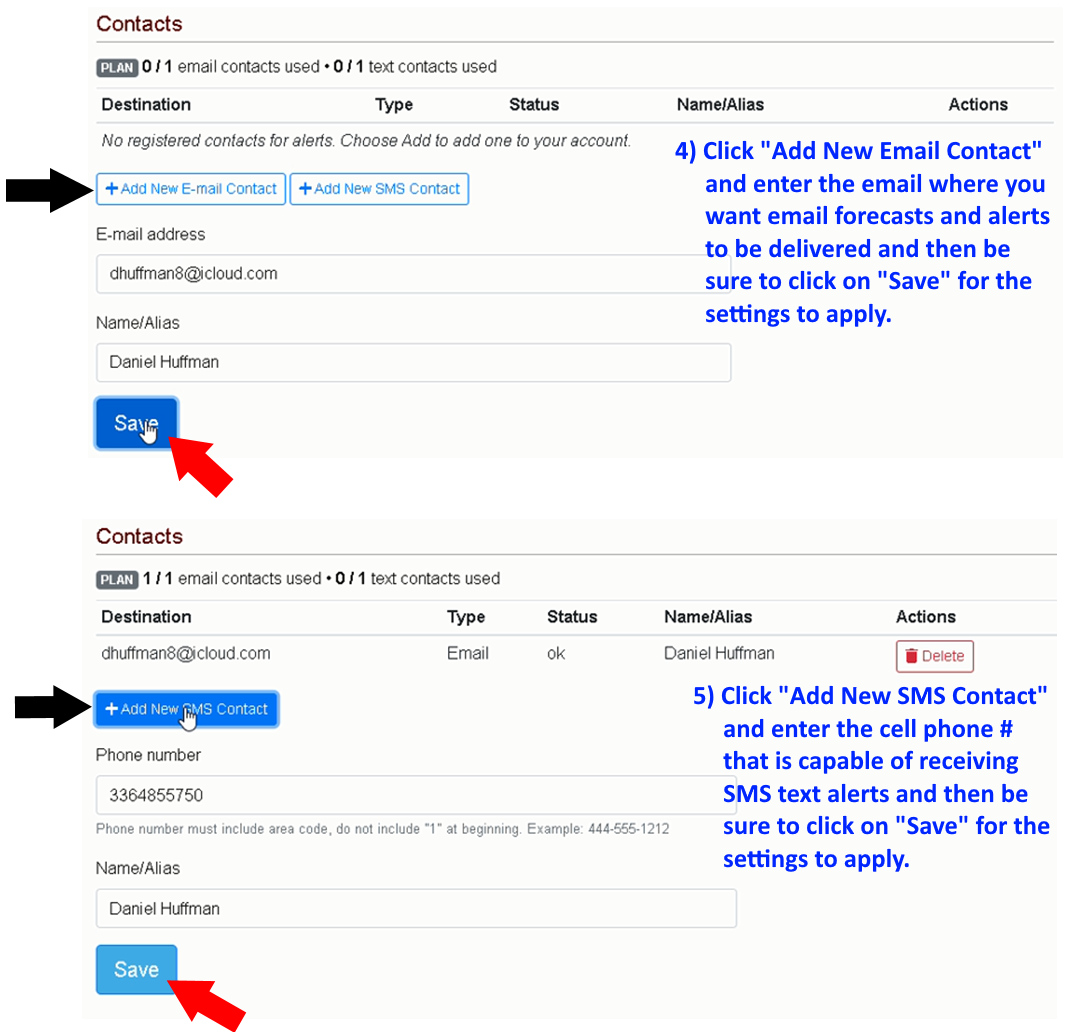
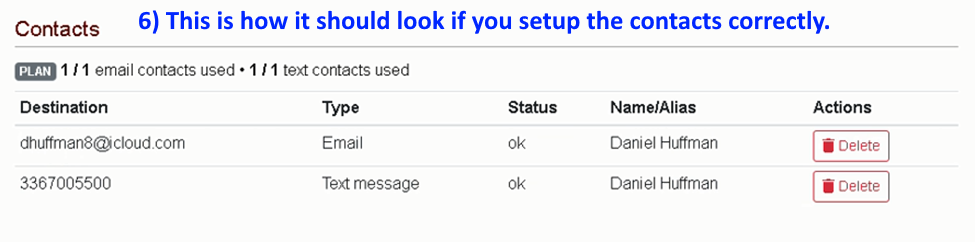
STEP 6
STEP 7 and 8

STEP 9 – DO NOT SKIP
For the last step, we will need your email, first, and last name to customize emails. Your email will be verified before your registration is approved, so do not share this link or you could be suspended from our site. If you do not receive any emails for more than 7 consecutive days, be sure to check your junk/spam folders or send us an email to further troubleshoot any email delivery issues.